Get the Separate "Sessio Room" App FREE!
Built for life coaches

Keep the whole session
on one screen.

When a client is mid-sentence, you shouldn't be clicking through tabs. Sessio puts the timer, their recent notes, and an open editor in front of you. Client records, billing, calendar, and a second-screen display for the room are there when you need them.

Join free for 6 months Open beta  ·  No credit card required  ·  Full access from day one
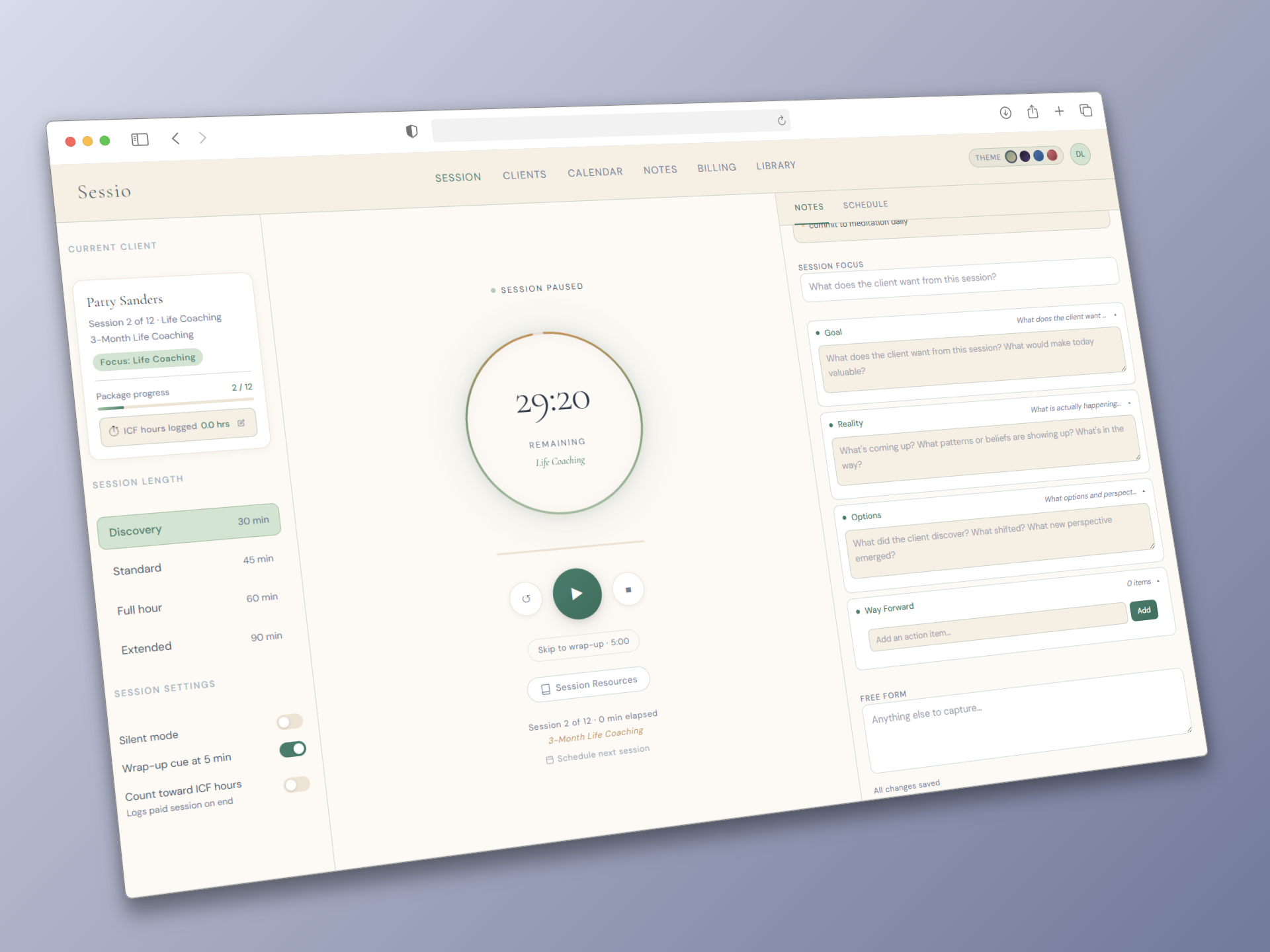
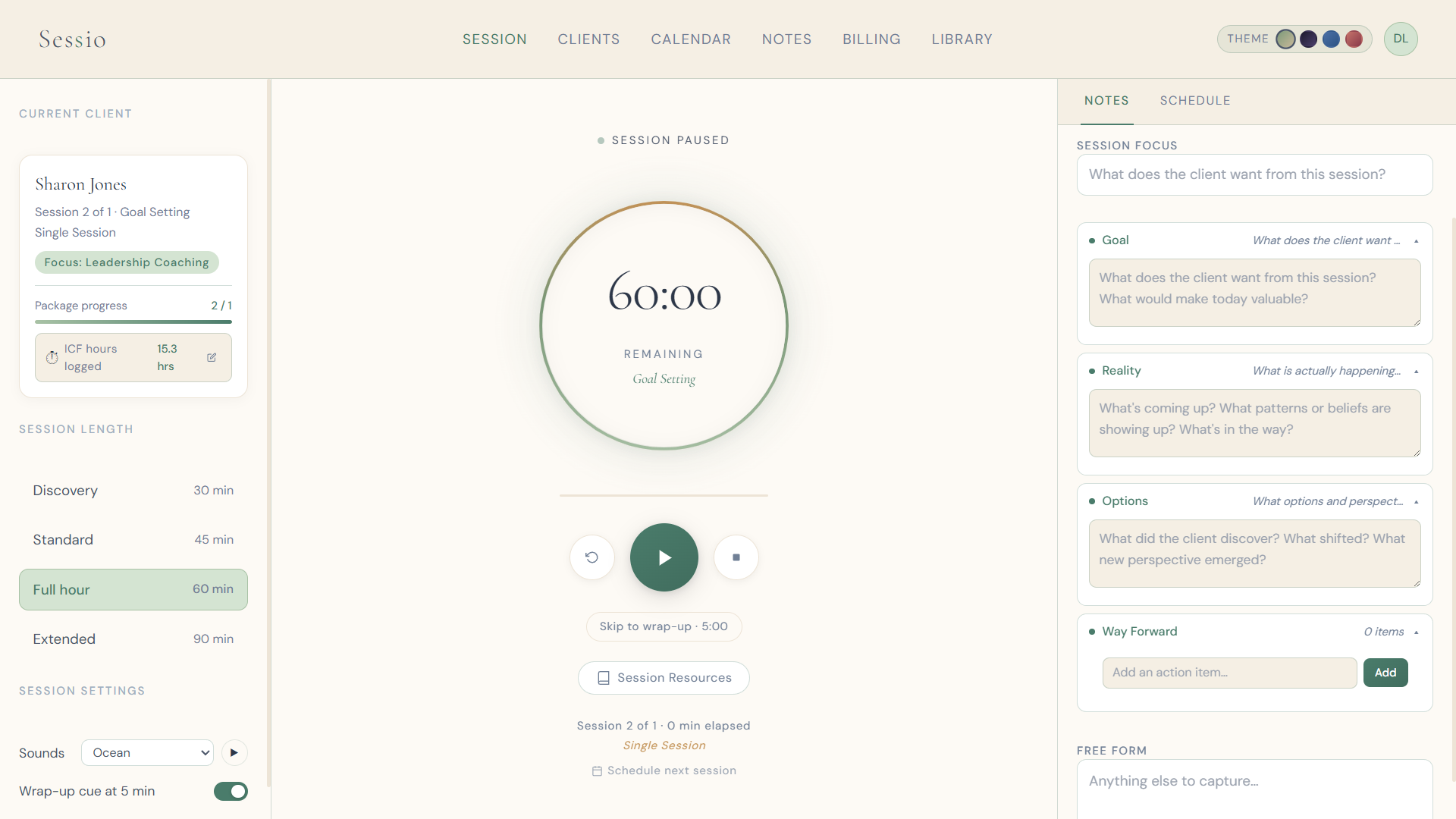
Active coaching session with timer ring, client name, and GROW notes open
Session view
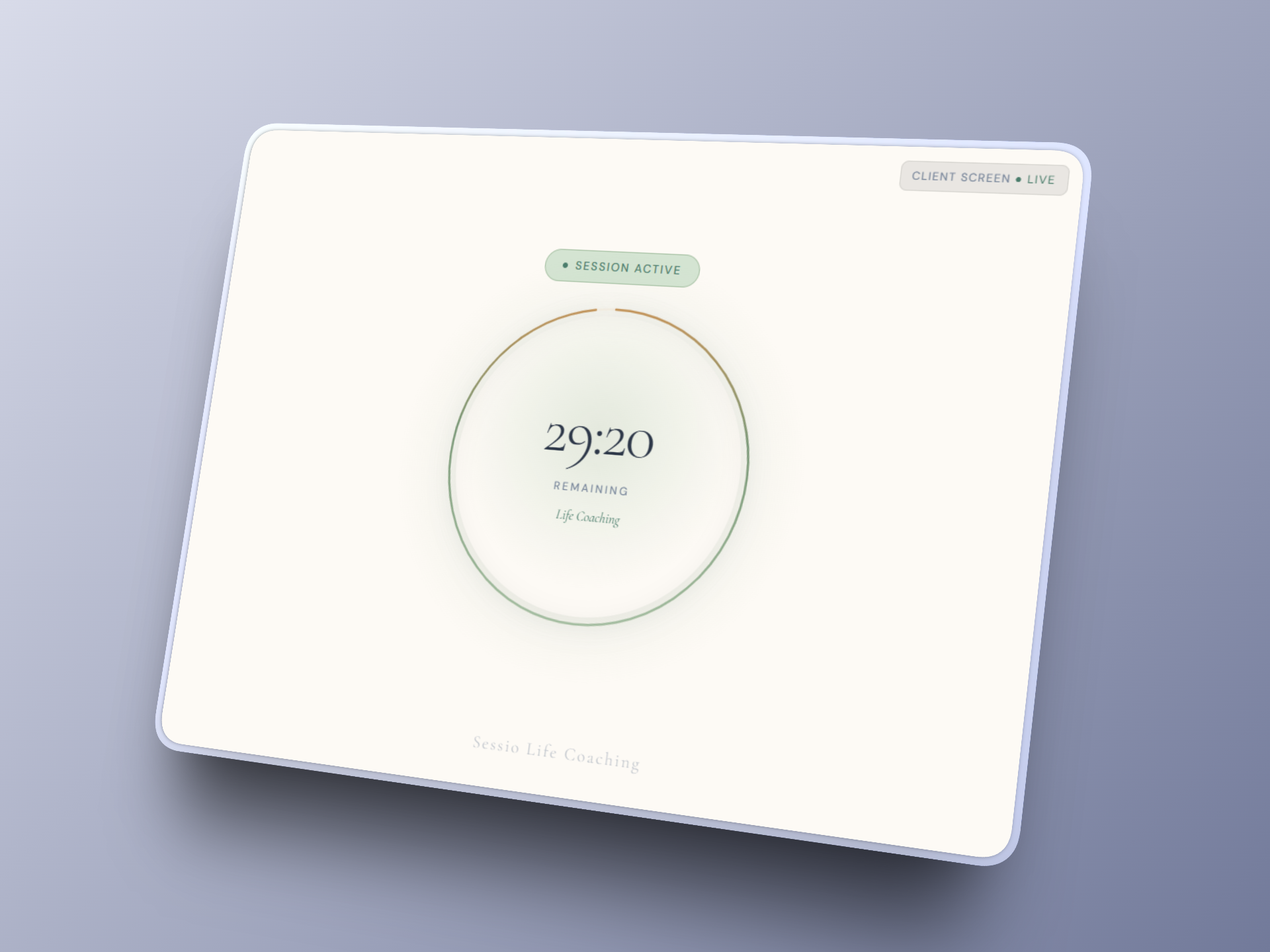
Tablet-style ambient screen showing a soft gradient and practice name
Client screen

Built around how a coaching hour actually runs

Project apps and clinical platforms weren't made for this work. Sessio was.

The scheduled hour is the unit of work.

Coaching happens in sessions. Sessio keeps the timer and the client you're with on one layer, so you can stay in the room instead of flipping between apps.

Notes in the GROW model.

Goal, Reality, Options, Way Forward, in a grid you can fill while you listen. Free-form notes are one click away if you prefer a blank page.

A screen your client can look at.

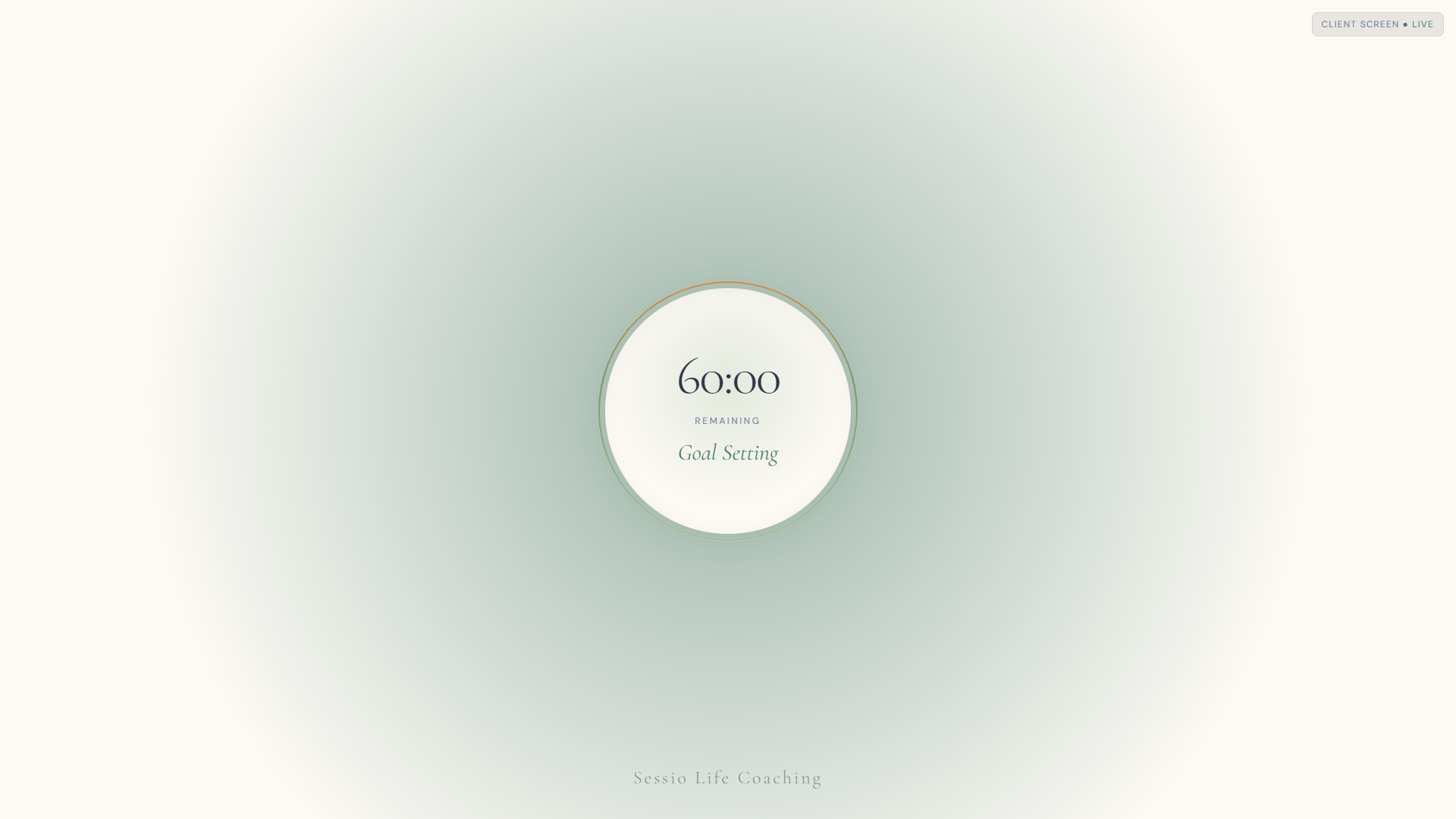
We haven't found another coaching tool that does this. Prop a tablet where your client sits; it shows a slow gradient and your practice name. Nothing from your dashboard. No client data.

Session Dashboard

Start a session.
The pieces are already there.

Hit start and the timer, that client's details, and your note editor share one view. When the hour ends, a wrap-up flow helps you close out without scrambling.

  • Circular timer that runs with the session
  • GROW editor open while you listen
  • Notes tab can open in a pop out window
  • Notes auto-save as you type
  • Client history and resources without leaving
  • Recap steps when you end the session
Session dashboard showing live timer and GROW note editor side by side
Notes

GROW notes in a four-box grid

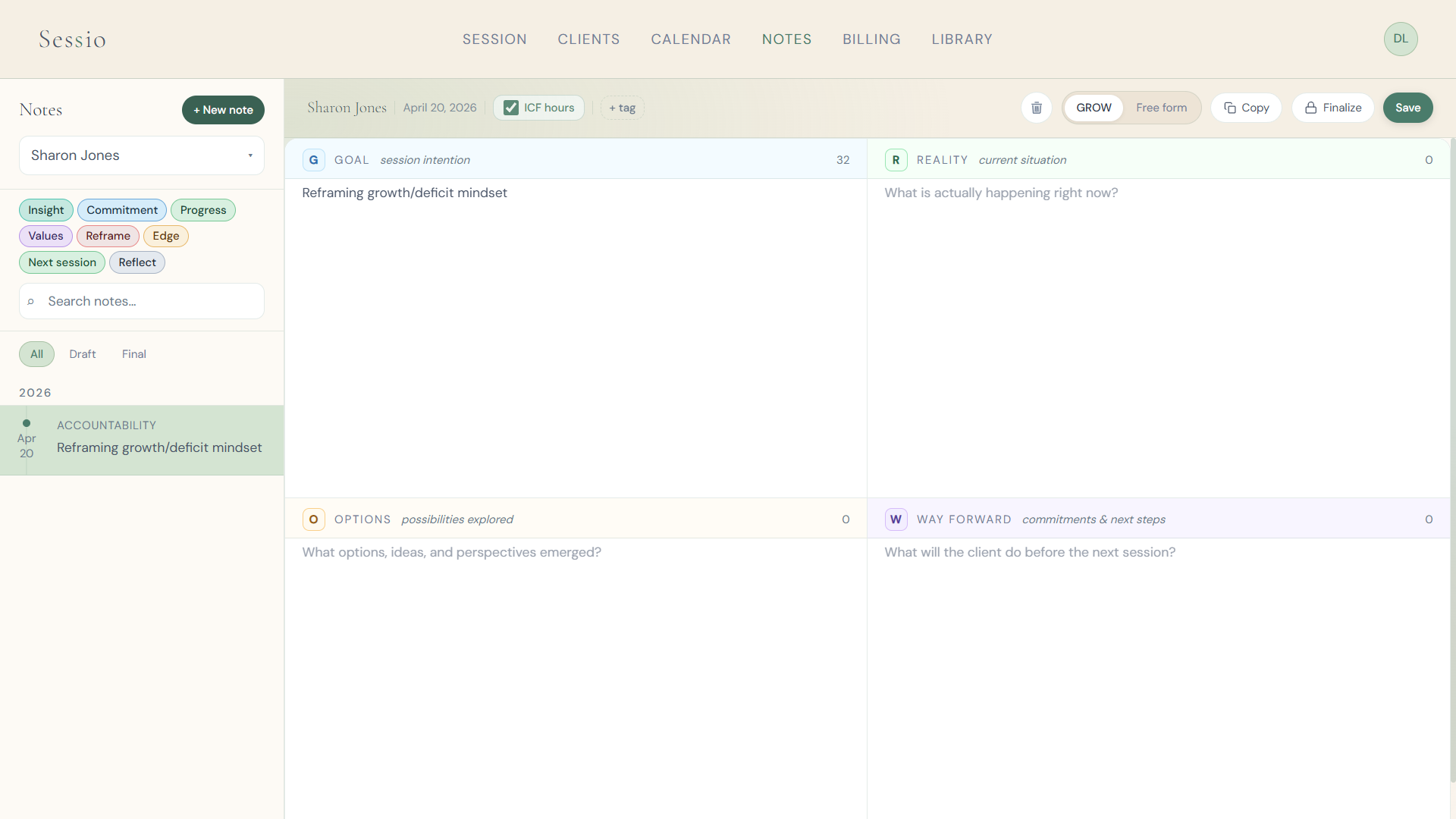
Goal, Reality, Options, Way Forward sit in a 2×2 layout. Prefer a blank page? Switch to free-form. Tag insights, commitments, and next steps so you can find them later.

  • GROW grid or free-form, your choice
  • A timeline of notes for each client
  • Finalize a note to lock it as a record
  • Tags like Insight, Commitment, Values, Reframe
  • Session notes can be downloaded as a PDF
Notes screen with GROW quadrants filled and a client timeline on the left
Clients & Calendar

Your clients and calendar
in one place.

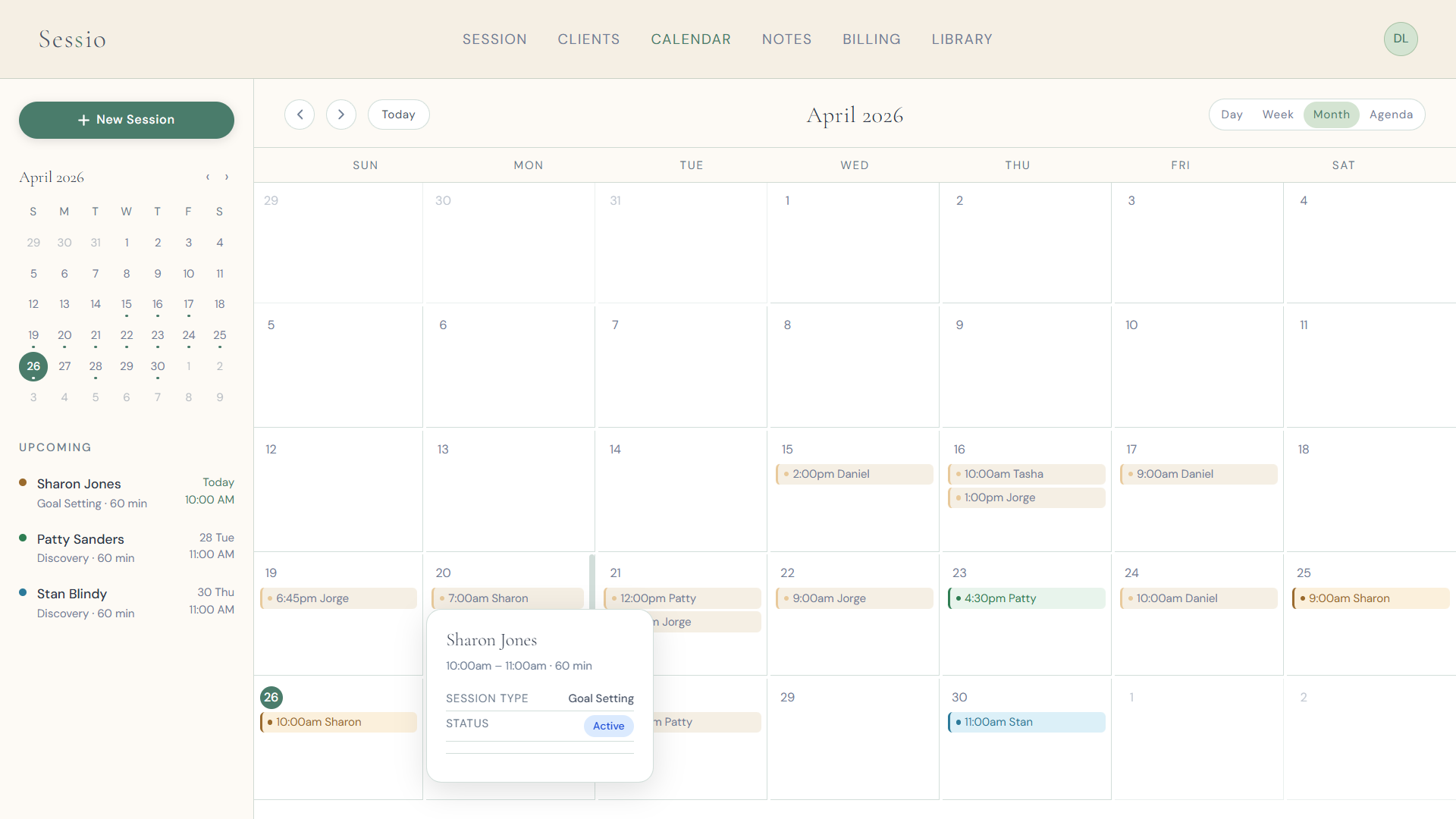
Profiles hold details, session history, and balances. Schedule in week, day, month, or agenda view. You can connect Google Calendar. One timezone setting for your practice, shown correctly everywhere.

  • Profiles with history and notes attached
  • Week, day, month, and agenda views
  • Connect Google Calendar
  • One timezone for the whole practice
  • Outstanding balances on the client list
Calendar week view with coaching sessions blocked on the schedule
Billing

Log what was paid. Track what's owed.

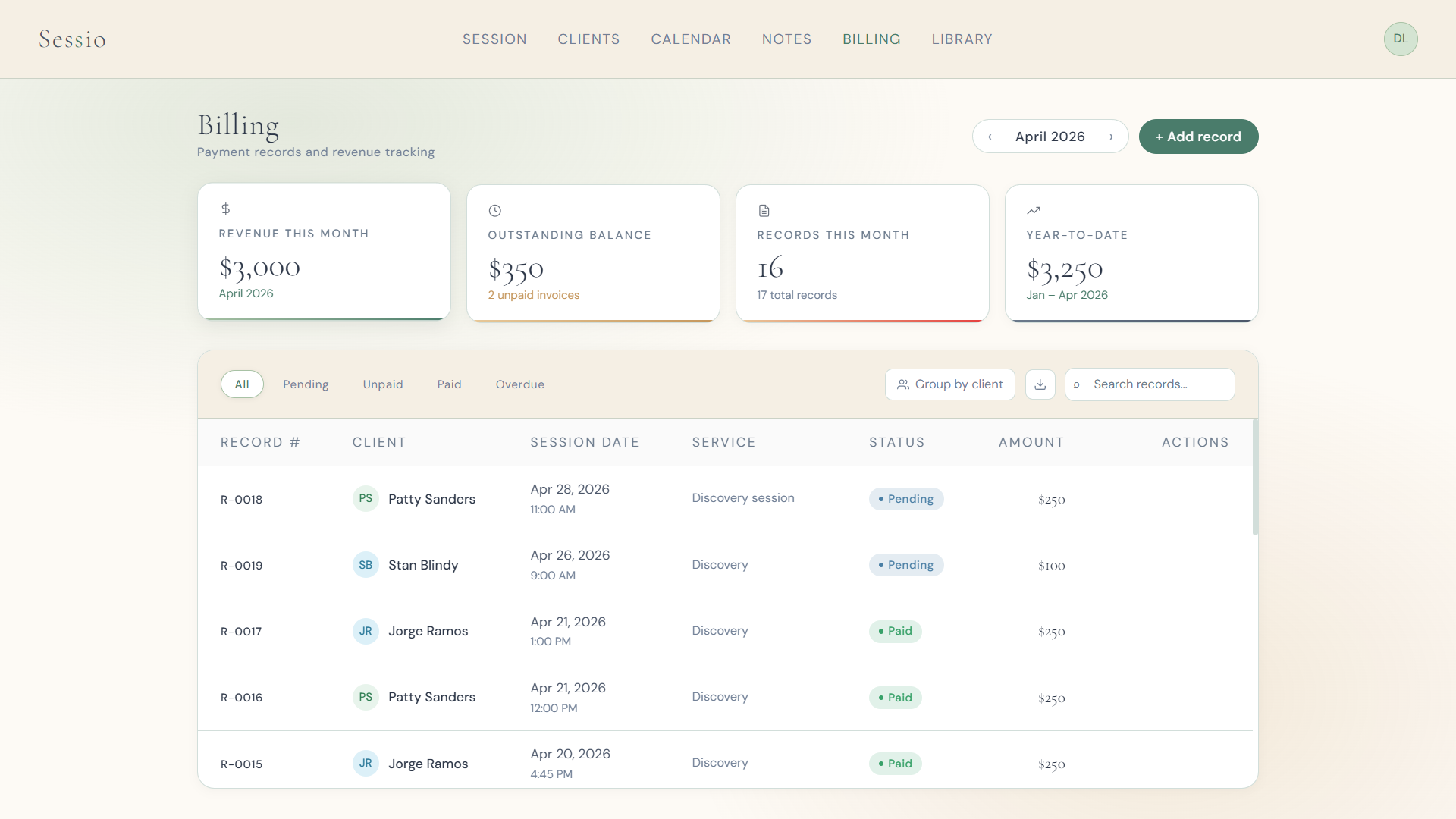
Sessio keeps payment records, not invoices. Record session fees, mark them paid, and see this month's revenue, what's outstanding, and year-to-date totals. Connect Stripe when you want clients to pay you through Sessio. The connection is simple, and you can leave it off if you already collect payment another way.

  • Log fees and mark sessions paid
  • Connect Stripe for client payments
  • This month, outstanding, and year-to-date
  • Overdue status figured for you
  • Record numbers in an R-XXXX format
  • Invoices can be downloaded as PDF and CSV
Billing screen with revenue stat cards and a list of payment records

The tablet your client looks at

Open it on a tablet or second monitor beside you. Your client sees a slow gradient and your practice name. Your notes, timer, and their file stay on your screen.

  • Four modes: Minimal, Warm, Drift, Pulse
  • Your practice name or the Sessio wordmark
  • Client-facing only; no coach data on that screen
  • Works on the same device or across devices with your dashboard
Full-screen ambient display with a soft gradient and practice wordmark at the bottom

No testimonials yet.
Here's the honest version.

Sessio is in open beta. I'm still building it with coaches who use it in real sessions.

Where things stand
Open beta

Testers get six months free. In return I ask for weekly feedback: what's awkward, what's missing, what you'd tell another coach.

What you get
Six months free

There are no quotes on this page yet because I won't invent them. When coaches have something real to say, it goes here.

Why this section is quiet
No fabricated reviews

One plan. Nineteen a month.

Everything included. No feature tiers, no upsells later.

Solo plan
$19
per month
Or $190 a year (two months free)
  • Session dashboard and live timer
  • Ambient display for your client
  • Client profiles and history
  • GROW notes and session records
  • Payment records and revenue stats
  • Stripe for client payments
  • Invoices and Notes as PDF downloads
  • Calendar and recurring scheduling
  • Google Calendar sync
  • 2 GB cloud storage for your docs and PDFs
Join free for 6 months

Open beta  ·  No credit card  ·  No commitment after

Things people ask before they try it

I'm a therapist. Can I use Sessio?

No. Sessio is built for life coaches only. It isn't suitable for licensed clinical mental health professionals (therapists, psychologists, counselors, or any HIPAA-covered provider), and it isn't HIPAA-compliant. If you're a clinician, this isn't the right tool.

How does the beta work?

You get six months of full access, free, with no credit card required. After that you can move to the Solo plan if Sessio fits, or walk away with no commitment. If an account is paused, data is kept for 90 days.

What does the ambient display actually show?

A tablet or second monitor in the room, facing your client. They see a soft animated background and your practice name (or the Sessio wordmark). Nothing from your dashboard. No client data. Four modes: Minimal, Warm, Drift, Pulse.

Can clients pay me through Sessio?

Yes. Connect Stripe and clients can pay you through Sessio. The connection is simple, and you can skip it if you already collect payment another way. Sessio still keeps the records either way: log the fee, mark it paid, and see this month, what is outstanding, and the year-to-date total. It is not invoicing software.

Do I have to use GROW notes?

No. GROW (Goal, Reality, Options, Way Forward) is there as a 2×2 grid because most coaches use that model. One click switches you to free-form. Notes can be tagged, finalized, and searched across a client's history.

How hard is it to cancel?

Settings → Billing & Plan. No phone call. No retention offer. Access continues through the end of the billing period; data is retained for 90 days after that. You can reactivate later and pick up where you left off.

Try Sessio while the beta is free

Six months of full access. No credit card. After that, cancel whenever you want.

Join free for 6 months